Phomemo
Phomemo M108 Label Printer, Bluetooth Label Printer, Self-Adhesive Thermal Labeling Device, Portable Label Printer for Barcode, Retail, Office, Compatible with Phones and PC System - Black
(No reviews yet)
Write a Review

- SKU:
- B0DKP2C8V3
- Availability:
- Usually delivered within 1 hour


Frequently bought together:
Description
| Brand | Phomemo |
| Connectivity technology | Bluetooth, Bluetooth、USB、Windwos、Linux、Windows ARM、Mac OS、Chrome OS, USB, Windwos, Linux, Windows ARM, Mac, Chrome OS |
| Printing technology | Thermal |
| Special feature | Labelling device, Lable Printer, Phomemo, Self-adhesive label printer, label printer |
| Colour | Black + 1 roll of labels |
| Model name | M108-BK-Label Printer |
| Printer output | Monochrome |
| Maximum print speed (colour) | 60.0 |
| Max print speed monochrome | 60 ppm |
| Item weight | 182 Grams |
About this item
- Easy to use: the Phomemo M108 Bluetooth label printer is compatible with smartphones and computers and supports iOS, Android and PC. It only takes 5 seconds to connect the label printer to your smartphone via Bluetooth, and it connects to your computer via a USB cable (driver download is required) to print quickly and easily.
- High-quality printing: the Phomemo M108 2 inch label printer uses thermal printing technology, so no ink or toner is required, and has a high-resolution print head with 203 DPI for high-resolution prints. With its small and compact design, you can take this portable label printer anywhere, making it ideal for households, shops, schools and small businesses.
- Powerful app – The M108 label printer comes with a powerful "Print Master" application. You can edit and set labels with support for QR codes, barcodes, tables, time, numbers, text, symbols and much more. Over 100+ fonts, 20+ languages, 1500+ icons and 200+ templates. Supports image recognition, scanning and recognition of 1/2D codes, EXCEL stack printing to improve work efficiency.
- Versatile - The Phomemo M108 label printer is versatile. With label widths of 20-50 mm (0.78 - 2 inches), it is the first choice for a variety of labelling requirements, e.g. For small businesses: apparel, crafts, retail, jewellery and more. Address, barcode, shipping, price, date, ingredient and product labels can be applied. Ideal for Christmas, Halloween, Thanksgiving, Father's Day and Mother's Day. This thermal label printer makes our work and life much easier.
- Mobile phones and tablets to start printing - Step 1: Download the Print Master app. Step 2: Turn on Bluetooth between the M108 label printer and your mobile phone or tablet. Step 3: Click the "Printer" icon in the application to search for the M108 portable label printer, connect to Bluetooth, select the label size and edit the contents to start printing.
- Laptop/PC to start printing - Step 1: Check the operating system (OS) of your laptop/PC, download and install the correct M108 driver and "Labelife" application from Phomemo website. Step 2: Connect the M108 label printer to your computer via the USB cable. Step 3: Select the label size, edit the contents and select the M108 from the list of printers.


Related Products
Related Products


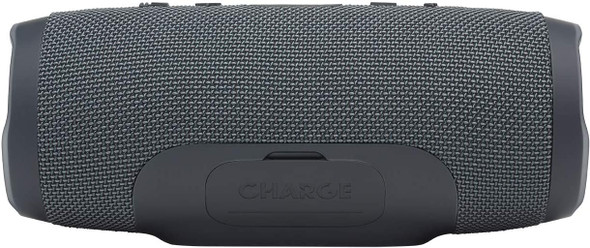
JBL Charge Essential Wireless Bluetooth Speaker - Portable Waterproof Speaker with Built-in Power Bank, USB Charging, Bluetooth Connect for Phone or Tablet up to 2 Devices, in Gun Metal Black
JBL
RWF215,000
Whether you are headed outside, throwing a party at home, or jamming in the shower, the portable JBL Charge Essential with dual passive bass radiators delivers loud and powerful sound for any...


Mini Projector Bluetooth WiFi, Video Phone Projector Full HD 1080P, YOTON Portable Movie Projector for Home Theater, Compatible with PC, PS5, Tablet, Fire Stick, Projector for Phone iOS and Android
YOTON
RWF150,000
Brand
YOTON
Recommended uses for product